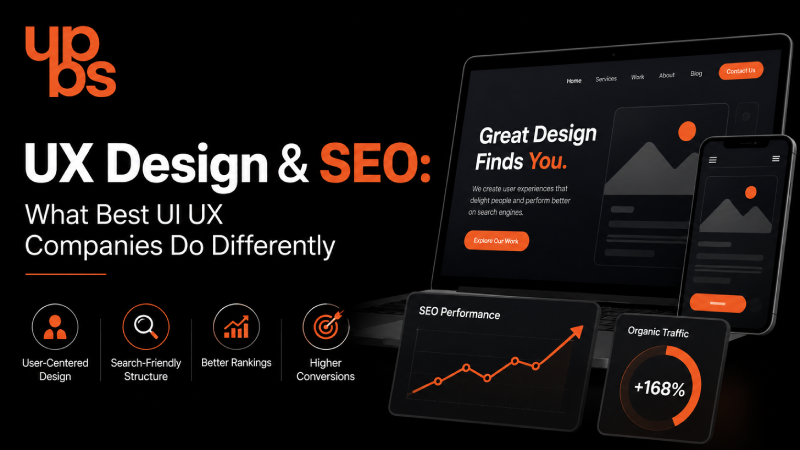
For years, businesses treated design and search engine optimization as two separate departments: one made the website look good, the other made it rank. That divide doesn't exist anymore. Google's ranking algorithms now factor in real user behavior: how fast a page loads, how easily visitors navigate it, and whether they stay or leave within seconds. In other words, your UX design is your SEO strategy, whether you planned it that way or not.
This is exactly why best UI UX design companies (See why we're rated) no longer treat design and search visibility as separate deliverables. They build both into the same process from day one research, structure, testing, and conversion strategy working together instead of in silos.
Why UX and SEO Are No Longer Separate Conversations
A decade ago, a business could hire one team for "how the site looks" and another for "how the site ranks," and the two rarely spoke to each other. That approach doesn't survive in 2026. Search engines have gotten far better at understanding user satisfaction as a ranking signal and user satisfaction is, fundamentally, a design outcome.
Think of it this way: if a visitor lands on your page, struggles to find what they need, and leaves within five seconds, Google notices. That single interaction tells the algorithm your page probably didn't answer the search query well regardless of how well-optimized your keywords and meta tags are. Content can be perfect and still underperform if the experience wrapped around it is frustrating.
This is the core shift businesses need to understand: SEO gets you to the page. UX decides what happens next and increasingly, it decides whether you stay ranked there at all.
How UX Design Directly Impacts SEO Rankings
Search engines don't just crawl your content, they measure how real users interact with it. A well-designed website sends the right signals to SEO (Boost your ranking) algorithms; a poorly designed one sends the wrong ones, no matter how good the content underneath it is.
Page Speed & Core Web Vitals
Google's Core Web Vitals Largest Contentful Paint, Interaction to Next Paint, and Cumulative Layout Shift are now direct ranking factors. A slow, clunky interface doesn't just frustrate visitors; it actively pushes your site down in search results, even if your content is genuinely useful. This is where clean, efficient frontend development (Load pages faster) matters just as much as visual design. Our team builds interfaces that load fast without cutting corners on quality.
Mobile Responsiveness & Indexing
Google indexes the mobile version of your site first, not the desktop version. If your UX breaks down on smaller screens, cramped buttons, overlapping text, text that requires zooming, slow load times on mobile networks you're being evaluated primarily on a broken experience, even if your desktop site looks flawless.
Navigation Structure & Crawlability
A confusing site structure doesn't just frustrate human users it confuses search engine crawlers too. Clear, logical navigation helps both audiences find what they need.
- Logical menu hierarchy, ideally no more than 2–3 clicks to reach any page
- Descriptive internal links instead of generic "click here" anchor text
- A flat site architecture that avoids orphan pages with no internal links pointing to them
- Breadcrumbs that reinforce structure for both users and search engine crawlers
- Clean, readable URL structures that reflect page hierarchy
Visual Hierarchy & Content Scannability
Most users don't read web pages top to bottom they scan. Headings, subheadings, whitespace, and bullet points aren't just design choices; they help both users and search engines understand what a page is actually about, which directly supports keyword relevance and topical clarity.
Key UX Metrics That Influence Search Performance
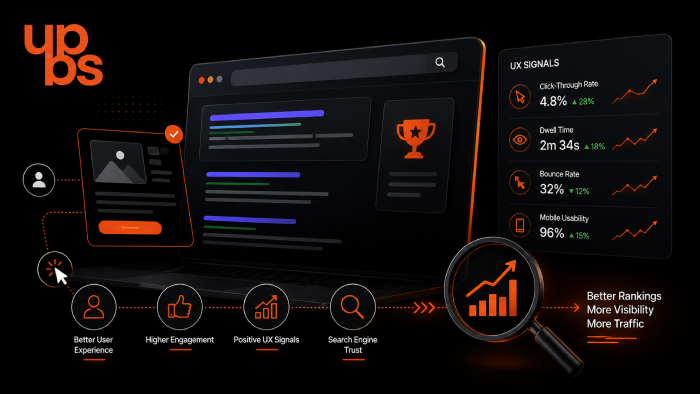
Beyond Core Web Vitals, there are behavioral metrics that search engines and analytics tools track closely, and that a strong UX strategy is designed to improve:
- Bounce rate — how many visitors leave without interacting further
- Dwell time — how long visitors stay engaged with a page
- Pages per session — how many pages a visitor explores before leaving
- Scroll depth — how far down a page users actually read
- Click-through rate on internal links — a signal of intuitive, well-structured navigation
When these metrics trend positively, it's rarely a coincidence; it's usually the result of deliberate UX decisions made earlier in the design process.
The Sales Connection - Why Good UX Converts Better
Ranking well only matters if visitors actually convert once they land on your site. This is where UX and sales overlap directly, and where many businesses lose potential revenue without realizing it.
Trust Signals in Design
Visitors decide within seconds whether a website feels credible. Clean layouts, consistent branding, visible contact information, real testimonials, and professional visuals all build the kind of trust that turns a casual visitor into a genuine lead. A cluttered, outdated, or inconsistent design does the opposite even if the underlying product or service is excellent.
Reduced Bounce Rate Means More Sales, Not Just Better Rankings
When users bounce quickly, it tells search engines the page didn't answer their query and it tells you the page didn't convince them to stay, either. Good UX solves both problems simultaneously. Many businesses invest heavily in paid ads (Fix this first) while ignoring this underlying issue. Often, the traffic is already there, the experience just isn't converting it.
Friction Points That Quietly Kill Conversions
Small UX friction points add up fast: forms with too many fields, unclear pricing, checkout flows with unnecessary steps, or CTAs that are hard to find. Each one is a small leak in an otherwise functioning sales funnel.
What Best UI UX Design Companies Do Differently
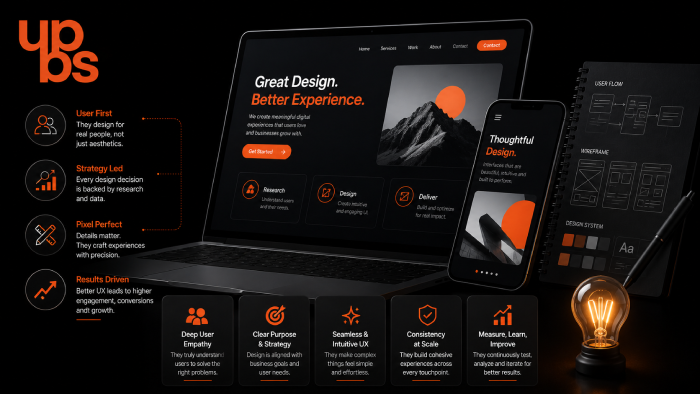
Not every design agency builds for SEO and conversions; many still design purely for aesthetics. The agencies that consistently deliver measurable results follow a noticeably different process:
- User research before wireframes — designing based on actual user behavior data, not internal assumptions
- SEO-aligned information architecture — structuring pages so both users and search engines can navigate them easily
- Conversion-focused layouts — strategic placement of CTAs, forms, and trust elements based on how users actually scroll and read
- Continuous A/B testing — treating design as an ongoing process, not a one-time launch event
- Performance-first development — ensuring visual choices don't come at the cost of load speed or Core Web Vitals
- Cross-functional collaboration — designers, developers, and SEO strategists working from the same brief, not separate ones
This combination of research, structure, and testing is what separates agencies that just make things "look nice" from ones that actually move business metrics like traffic, leads, and revenue.
Why UPBS Technology Is Among the Best UI/UX Design Companies
At UPBS Technology, UX design is never treated as a standalone visual exercise; it's built alongside SEO strategy and business goals from the very first wireframe. Our approach combines:
- User research and behavior analysis before any design work begins
- SEO-aware information architecture planned in collaboration with our content and search strategy team
- Performance-optimized front-end development, so beautiful design never comes at the cost of speed
- Conversion-focused layouts tested and refined based on real user data, not guesswork
- A cross-functional team of designers, developers, and marketers working from a single, shared brief
We've applied this exact approach across industries including healthcare, real estate, e-commerce, and education helping businesses turn redesigned websites into measurable improvements in both search visibility and sales. See it in our portfolio (See real results).
Common UX Mistakes That Hurt SEO & Sales
Even well-intentioned websites often make mistakes that quietly damage both rankings and revenue over time:
- Cluttered or competing calls-to-action that confuse the user's next step
- Slow-loading images and unoptimized media files
- Pop-ups and interstitials that block content, especially on mobile
- Inconsistent navigation and layout patterns across pages
- Forms that ask for too much information too early in the journey
- Outdated design patterns that reduce perceived credibility
Fixing these issues rarely requires a full redesign; it's usually about smarter structure and better execution. If your site shows these symptoms, check our guide on website maintenance (Warning signs).
Industries Where UX-SEO Alignment Matters Most
While every business benefits from strong UX-SEO alignment, some industries feel the impact more directly, given how competitive and search-driven their customer journeys are:
- Healthcare — where trust signals and page speed directly affect patient inquiries
- E-commerce — where checkout friction has an immediate, measurable revenue impact
- Real estate — where visual presentation and easy navigation drive lead quality
- Education — where clear information architecture affects enrollment conversions
- Professional services — where credibility signals influence consultation bookings
How to Choose the Right UI/UX Partner
When evaluating design partners, look beyond portfolios and visual style alone. Ask about their process: Do they research user behavior before designing? Do they test for performance and Core Web Vitals? Can they show measurable business outcomes, not just before-and-after screenshots?
If you're also budgeting for this kind of work, check development cost (Pricing breakdown) guide before committing to a project.
Conclusion
UX design and SEO aren't two separate line items in your marketing budget; they're two outcomes of the same underlying decisions. Every choice in layout, navigation, speed, and interaction either helps or hurts your visibility and your conversions at the same time. The businesses that understand this and the design partners who build around it are the ones pulling ahead in search results and in revenue.
If your website's design hasn't been evaluated for SEO and conversion performance recently, it's worth a closer look. Contact us (Talk to our team) for a free consultation.
Frequently Asked Questions
Does UX design really affect SEO rankings, or is it mostly about content and keywords?
Content and keywords still matter, but they're no longer enough on their own. Search engines actively measure how users interact with a page speed, mobile usability, and navigation clarity all factor into rankings alongside content quality.
How long does it take to see SEO improvements after a UX redesign?
Most businesses start noticing measurable changes in engagement metrics like bounce rate and time on page within 4–8 weeks, with search ranking improvements typically following over the next few months as search engines re-crawl and re-evaluate the site.
Is a full website redesign necessary, or can smaller UX fixes help?
A full redesign isn't always required. Targeted fixes improving page speed, simplifying navigation, or cleaning up CTAs can produce noticeable improvements without the cost and downtime of a complete rebuild.
What's the difference between UI and UX, and does it matter for SEO?
UI refers to the visual interface colors, buttons, layout. UX refers to the overall experience of how easily a user accomplishes their goal. Both matter for SEO, but UX has a more direct impact on behavioral signals like bounce rate and dwell time.