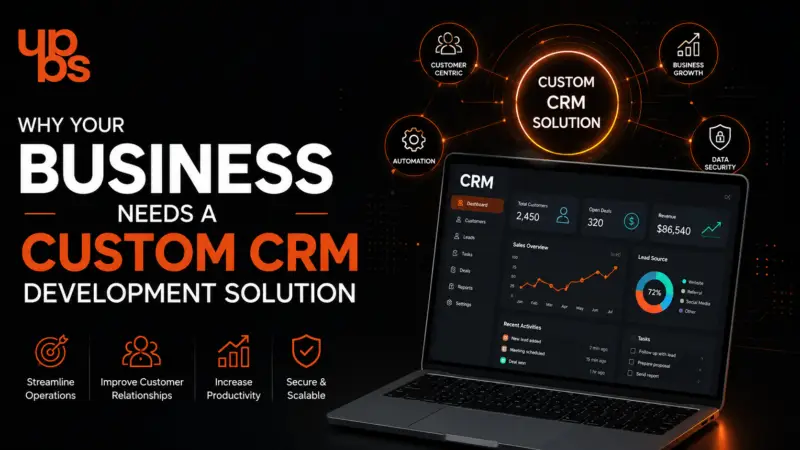
Spreadsheets, scattered inboxes, and sticky notes work fine when you have twenty customers. At two hundred, they quietly start costing you deals. Follow-ups slip, records duplicate, and no one knows who spoke to a lead last. A custom CRM development solution fixes this by giving your team one system built around how your business actually works.
In this guide, you’ll learn what custom CRM development is, how it compares with off-the-shelf tools, the features that matter, how a CRM developer builds it, what it costs, and how to pick the right software development company for the job.
What Is a Custom CRM Development Solution?
A custom CRM development solution is customer relationship management software designed and built specifically for your business, instead of a generic platform you adapt yourself to. It stores customer data, tracks leads, automates follow-ups, and reports on sales in one place, shaped around your workflows.
Unlike ready-made tools, nothing in a custom CRM is forced on you. Your sales stages, approval rules, and reports are built exactly as your team uses them. With professional custom CRM development services, you also keep full ownership of your data and your roadmap.
Typical advantages include:
- Workflows matched to your sales and support process
- One secure source of customer data
- Automation of reminders, assignments, and invoices
- Integrations with the tools you already use
- No per-user licence fees that grow with your team
Custom CRM vs Off-the-Shelf CRM: Which Is Right for You?
Off-the-shelf CRMs suit small teams with standard needs. A custom CRM suits businesses with unique workflows, complex integrations, or fast growth, because it adapts to you rather than the reverse. The right choice depends on how far your process differs from the “standard” one.
|
Factor |
Off-the-Shelf CRM |
Custom CRM |
|
Setup speed |
Fast |
Slower (planned build) |
|
Flexibility |
Limited to vendor features |
Fully tailored |
|
Integrations |
Pre-built connectors only |
Any system you use |
|
Data ownership |
Vendor-hosted |
You control it |
|
Long-term cost |
Recurring per-user fees |
One-time build plus maintenance |
|
Scalability |
Plan-limited |
Grows with you |
If you spend more time bending the software than using it, it’s time to consider custom. Our guide to CRM and software explains the trade-offs in more depth.
Why Customer Relationship Management Matters More Than Ever
Customers now expect fast, personal responses on every channel, and a CRM is how businesses deliver that consistently. A well-built custom CRM development solution turns scattered customer data into timely, relevant conversations and measurable growth.
Here’s what a strong CRM gives you:
- Personalised communication using full customer history
- Multi-channel lead tracking across your website, social media, email, and calls
- Faster response times through automated alerts
- Real-time analytics for sales and performance decisions
- Better retention through consistent follow-up
The returns can be significant. A widely cited Nucleus Research study reported roughly $8.71 returned for every $1 spent on CRM, though that figure is older and results vary by business.
Common Challenges Businesses Face Without a CRM
Without a CRM, customer information lives in too many places, and that is where opportunities get lost. A custom CRM development solution removes these gaps by centralising data and automating routine work.
The most common problems are:
- Customer data scattered across spreadsheets, emails, and apps
- Missed follow-ups that cost sales
- Duplicate records and inconsistent data
- Poor coordination between sales, marketing, and support
- Slow manual reporting and weak forecasting
Picture a sales rep who leaves the company. Without a CRM, their lead notes leave with them, and warm prospects go cold. With one, every conversation stays in the system for the next person to pick up.
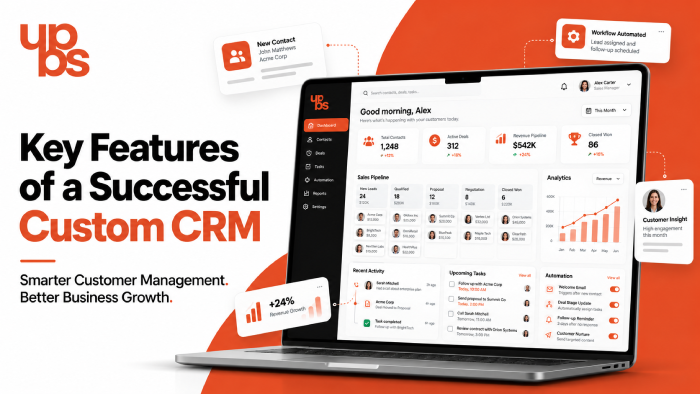
Key Features of a Successful Custom CRM
The best CRM features are the ones your team will actually use daily. A good custom CRM development solution starts with the essentials and adds industry-specific modules on top, rather than overloading users on day one.
Core features to plan for:
- Lead and contact management: capture, score, and assign leads automatically
- Sales pipeline tracking: see every deal’s stage at a glance
- Workflow automation: reminders, approvals, and invoice generation
- Reports and dashboards: live performance data by team or person
- Role-based access: the right people see the right data
- Mobile access: update records from the field
Strong data handling matters just as much as the screens. A solid backend development foundation keeps your CRM fast, secure, and ready for new modules.
Benefits of Custom CRM Development Services
Custom CRM development services give you software that fits your process, saves staff time, and scales without replacement. The value comes from how closely the system mirrors the way your business already works.
Business-specific workflows. Lead handling, approvals, and project tracking are built your way, which cuts training time and confusion.
Process automation. Lead assignment, follow-ups, notifications, and invoices run automatically, reducing manual errors in your custom CRM development solution.
Better customer experience. Complete customer histories let your team respond faster and more personally on every touchpoint.
Seamless integrations. A custom CRM connects with ERP, accounting software, payment gateways, WhatsApp Business, email platforms, HRMS, and SMS services.
Long-term scalability. You can add users, modules, and features later without rebuilding. A clean, intuitive interface also speeds adoption, and a thoughtful UI/UX design process means staff need minimal training.
What Does a CRM Developer Do?
A CRM developer turns your business requirements into working software. They design the architecture, build the modules, connect third-party tools, secure the data, and maintain the system after launch. Their job is as much about understanding your process as writing code.
Key responsibilities include:
- Analysing sales, support, and operations workflows
- Planning the database and system architecture
- Building lead, pipeline, reporting, and permission modules
- Integrating external applications through APIs
- Testing for bugs, performance, and security
A good developer also works closely with designers and the frontend development team, so the final dashboard is as easy to use as it is powerful.
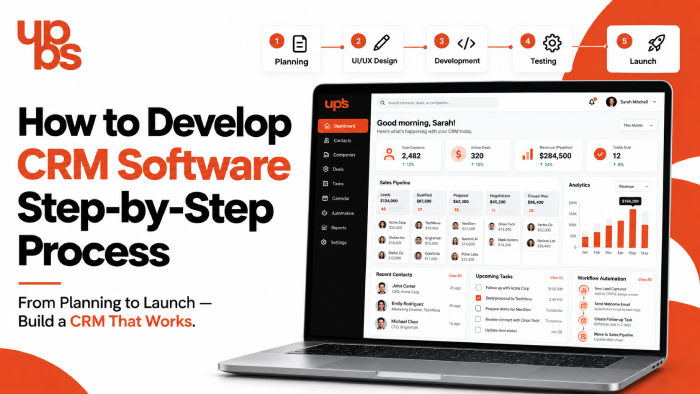
How to Develop CRM Software: Step-by-Step Process
Developing CRM software follows seven clear stages, from requirement gathering to ongoing support. Skipping early planning is the most common reason CRM projects overrun, so the first steps matter most.
Step 1: Define business requirements. Meet stakeholders from sales, marketing, and support to map goals, pain points, and current workflows.
Step 2: Finalise features. Prioritise must-have modules such as lead management, pipeline tracking, analytics, tasks, and access roles.
Step 3: Choose the technology stack. Select the frontend framework, backend, database, and cloud setup based on security needs and expected growth. If field teams need mobile access, hybrid mobile app development can extend the CRM to phones without doubling the effort.
Step 4: Design the UI/UX. Create simple dashboards and clear navigation so every team member can work quickly.
Step 5: Develop and integrate. Build the core modules, then connect ERP, accounting, payments, WhatsApp, and email tools.
Step 6: Test thoroughly. Check for bugs, security gaps, and performance issues across devices and user roles.
Step 7: Deploy and support. Launch on a secure server or cloud, migrate existing data, configure users, and continue with updates, security patches, and enhancements.
How Much Does Custom CRM Development Cost?
The cost of a custom CRM depends on scope, not a fixed price list. A simple CRM with core modules costs far less than an enterprise system with deep integrations, so a clear requirement document is the best way to get an accurate quote.
The main cost drivers are:
- Number and complexity of features
- Third-party integrations required
- Number of users and user roles
- Technology stack and hosting
- Ongoing maintenance and support
Although the upfront investment is higher than a subscription, you avoid recurring per-user fees. Over several years, a custom CRM development solution often works out more economical for growing teams. For ballpark figures, see our pricing guides.
How a Custom CRM Improves Business Growth
A custom CRM grows revenue by helping teams respond faster, follow up consistently, and decide using real data. These gains compound as your customer base grows.
- Higher lead conversion: no lead is forgotten or delayed
- Better retention: timely, personal communication keeps customers
- Lower operating costs: automation cuts repetitive manual work
- Smarter decisions: live analytics show what is working
- Easy scaling: new teams and modules plug in without disruption
See how tailored systems perform in practice in our case studies.
Why Choose UPBS Technology for Custom CRM Development?
UPBS Technology builds custom CRM development solutions around your workflows, with secure architecture and transparent delivery. As a Noida-based software company, we combine design, development, and support under one team.
Here’s what you can expect:
- Tailor-made solutions matched to your processes
- Experienced developers with multi-industry CRM experience
- Secure, scalable architecture that protects your data as you grow
- Seamless integrations with ERP, accounting, payments, and WhatsApp Business
- Agile delivery with regular updates and clear communication
- Ongoing support including security updates and enhancements
You can browse our portfolio to see the quality of work we deliver.
Frequently Asked Questions
- What is a custom CRM development solution?
A custom CRM development solution is customer relationship software built specifically for your business. It manages leads, customer data, sales pipelines, and automation around your own workflows, instead of forcing you to adapt to a generic, pre-built platform with limited flexibility. - How much does custom CRM development cost in India?
The cost depends on features, integrations, number of users, and technology stack. A basic CRM costs much less than an enterprise-grade system. Sharing clear requirements with your development company helps you get an accurate quote and avoid unexpected expenses later. - How long does it take to develop CRM software?
A simple CRM can take a few weeks, while complex systems with many integrations may take several months. Timelines depend on scope, feature count, and testing. Planning requirements carefully upfront is the best way to keep the project on schedule. - Is a custom CRM better than Salesforce or Zoho?
It depends on your needs. Salesforce and Zoho suit standard processes and quick setup. A custom CRM is better when you need unique workflows, deeper integrations, full data ownership, and no recurring per-user fees as your team grows over time. - Can a custom CRM integrate with WhatsApp and accounting software?
Yes. A custom CRM can connect with WhatsApp Business, accounting software, ERP systems, payment gateways, email platforms, and SMS services through APIs, so customer data and messages flow automatically between your tools without manual copying or re-entry.
Conclusion
A custom CRM is more than software. It is a system that streamlines operations, strengthens customer relationships, and gives your team the data to make faster decisions. Built around your processes, a custom CRM development solution grows with your business instead of holding it back.
Ready to replace spreadsheets with a CRM that fits? Book a free consultation with UPBS Technology and take the first step toward smarter customer management.