You have an app idea, a budget, and a launch window in mind. Then one question stops everything: should you build for Android or iOS first? The Android vs iOS decision looks technical, but it is really a business decision. It shapes who sees your product first, how quickly you can launch, what your early users expect, and how much you spend before you earn.
This guide explains the iOS and Android difference in plain business terms: audience, design, development effort, AI capabilities, security, and store publishing. You will also see where cross-platform fits, how to choose a development partner, and what to ask before you sign anything. By the end, the Android vs iOS question should have a clear answer for your brand and your market.
iOS and Android Difference: Quick Comparison
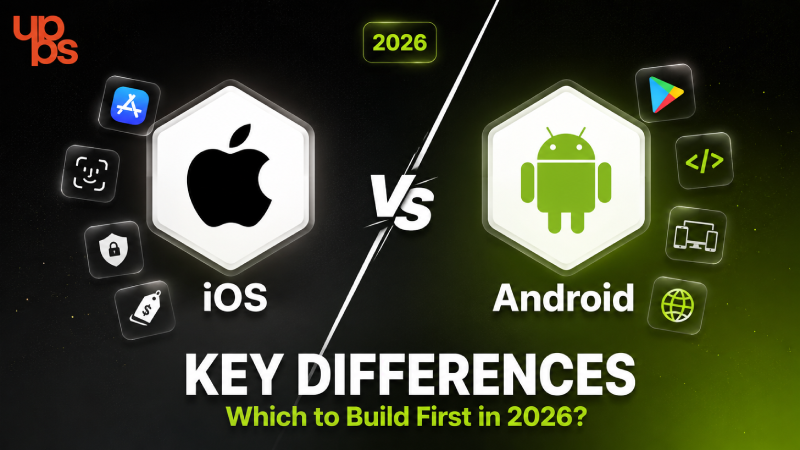
The main iOS and Android difference is audience and control. Android reaches the largest global user base across a wide range of devices, while iOS reaches a smaller, premium-leaning audience on a tightly controlled set of Apple devices. Android offers flexibility; iOS offers consistency.
| Factor | Android | iOS |
| Worldwide mobile share (Aug 2026) | ~67.6% | ~32.4% |
| India (mid-2026) | ~92-93% | ~7% |
| United States (June 2026) | ~42% | ~58% |
| Main languages | Kotlin, Java | Swift, Objective-C |
| Design guidelines | Material Design | Human Interface Guidelines |
| Device range | Thousands of models | Limited Apple lineup |
| Store registration | $25 one-time | $99 per year |
| Typical store review | Hours to a few days | Usually 24-48 hours |
Market share figures: StatCounter Global Stats. Store fees and review times: Apple and Google developer documentation and industry guides.
Platform choice also affects your budget, because every extra device to test and every extra codebase adds effort. If you are planning numbers, our guide to mobile app development cost (Know before you budget) shows what actually drives the price.
The 2026 Market Share Reality: Android vs iOS Worldwide
According to StatCounter, Android held about 67.6% of the worldwide mobile operating system market in August 2026, with iOS at about 32.4%. On global numbers alone, the Android vs iOS contest looks one-sided. But global numbers rarely match your actual customers. Region changes everything. In India, Android holds roughly 92-93% of the mobile market, and iOS sits near 7%. In the United States, the picture flips: iOS leads with about 58% against Android's 42% (June 2026). A fintech app aimed at US professionals and a delivery app aimed at Indian households are playing two different games.
If your customers sit in mass-market India, android app development (Reach Android users) is usually the fastest route to the largest audience. The takeaway: treat global market share as a starting point, then check the data for the country, city, and income group you actually serve.
Understanding iPhone vs Android Target Users
Market share tells you how many people use a platform. User behavior tells you what they do with it. Industry reports have consistently shown that iPhone users generate more revenue per user through purchases and subscriptions, while Android drives the bulk of downloads and reaches more price tiers. This is the practical iOS and Android difference for a business owner. If your model depends on premium subscriptions, paid upgrades, or high-value services, iPhone buyers are often a better first audience. If your model depends on volume, such as marketplaces, local services, or utility apps, Android's reach matters more.
Think about your own customer profile: age, income, city, device habits, and how they pay. If your early adopters carry iPhones, iOS app development (Build for iPhone) gives you a polished launch with the people most likely to convert. Guessing your audience is the most expensive mistake in the whole Android vs iOS decision, so validate it with real data before you commit.
Design & UX: Material vs Human Interface
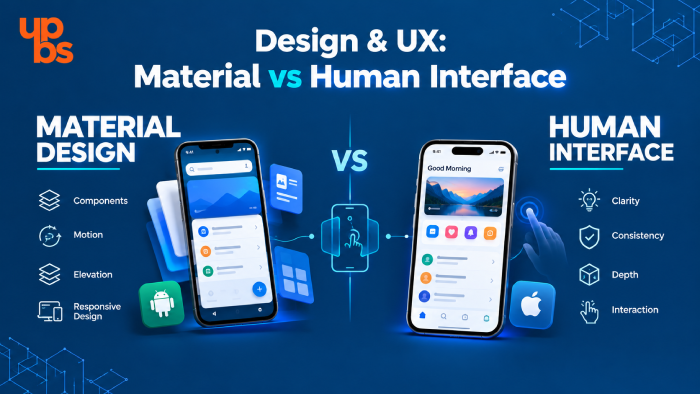
Each platform has its own design language, and users notice when an app ignores it. Android apps follow Material Design, which favors bold layouts, flexible components, and room for customization. iOS apps follow Apple's Human Interface Guidelines, which favor clarity, consistent gestures, and a familiar navigation feel across every app on the device. Hardware shapes design too. Android apps must adapt to many screen sizes, aspect ratios, and manufacturer skins. iOS designers work with a smaller, predictable set of screens, which makes pixel-perfect polish easier to achieve and test.
For brand-led businesses, this matters more than it seems. Your app is often the most frequent touchpoint a customer has with your brand, so awkward navigation or inconsistent visuals reflect on you directly. Working with experienced UI/UX design services (Design that converts) helps your app feel native on each platform while staying true to your brand identity.
Development Time, Languages and Tools
Native Android apps are typically built with Kotlin and Jetpack Compose in Android Studio. Native iOS apps use Swift and SwiftUI in Xcode, which runs only on Mac hardware. Neither stack is "better"; they are simply different ecosystems with their own libraries, testing tools, and release processes. The bigger difference is device diversity. Android runs on thousands of device models with different screen sizes, chipsets, and OS versions, so testing takes longer and edge-case bugs are more common. iOS runs on a limited lineup, which usually means a shorter testing cycle and fewer surprises.
If you build native apps for both platforms, you are effectively funding two codebases, two sets of updates, and two QA passes. That is why the Android vs iOS question is often really a question about sequencing: which platform gives you the fastest learning, and how do you add the second one without starting over?
AI Feature Support on Android vs iOS
AI features are now part of most product roadmaps, and the two platforms approach them differently. Apple's Foundation Models framework gives iOS developers direct access to on-device AI through a simple Swift interface, with on-device processing that keeps user data on the phone. At WWDC in June 2026, Apple expanded the framework further, which lowers the barrier for adding smart features to iPhone apps. On Android, Google offers on-device AI through Gemini Nano and its ML Kit GenAI APIs, alongside cloud-based Gemini models. The approach is more composable, which gives developers flexibility, but it usually takes more integration work, and feature availability depends on the device and chipset.
For founders, the practical question is simple. If your product relies on private, on-device features like summarizing text or analyzing photos, check which devices your audience owns and what each platform supports today. Both platforms are moving fast, so confirm current capabilities with your development team before locking in an AI-heavy roadmap.
Security and Updates: Android vs iOS
Both platforms are secure when apps are built correctly, but they take different approaches. iOS is a closed ecosystem: Apple controls the hardware, the software, and the app review process, and most users move to new OS versions quickly. That uniformity makes it easier to support a consistent security baseline. Android is open and flexible, which is a strength for customization and a challenge for consistency. Security patches and OS updates reach users at different speeds depending on the manufacturer, so your app may need to support older Android versions for longer.
The truth is that most real-world app security failures come from the app and its server, not the operating system. Weak APIs, poor authentication, and unprotected data storage cause far more damage than the platform choice itself. That is why strong backend development (Secure your data) matters as much as the Android vs iOS decision when you handle customer data or payments.
App Store vs Google Play
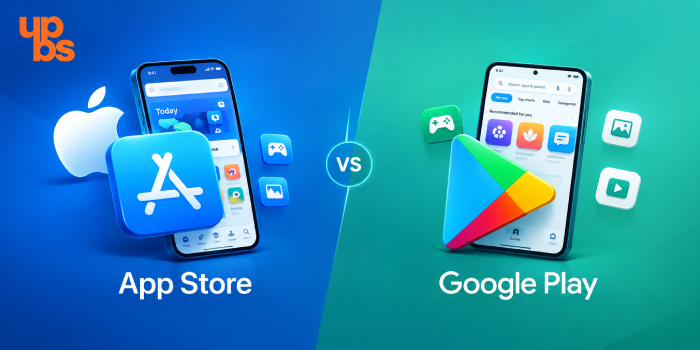
Publishing is where the two ecosystems feel most different. Apple charges $99 per year for its developer program, and new apps usually clear review in about 24-48 hours, though first submissions in sensitive categories can take longer. Google Play charges a one-time $25 registration fee, and review is often faster, but new developer accounts can face extra testing requirements before an app goes live to everyone.
Apple's review is stricter and more human-led, so rejections for privacy gaps, broken login flows, or unclear metadata are common. Google's process leans more on automated checks. In both cases, prepare your privacy documentation, test credentials, and screenshots before you submit, not after the first rejection. Getting live is only half the job. Your app also has to be found, which depends on store listing quality and the website that supports it. Understanding how SEO (Start with the basics) works helps your app and its web presence show up when people search for what you offer.
The Overlooked Cross-Platform Option
Many founders treat Android vs iOS as an either-or choice. It does not have to be. Cross-platform frameworks like Flutter and React Native let one team build a single codebase that runs on both Android and iOS, with near-native performance for most business apps.
The benefits are clear: faster time to market, lower early investment, and one codebase to maintain. The trade-offs are also real. Apps that depend heavily on advanced hardware features, complex animations, or the very latest platform APIs may still need native code in places.
For startups validating an idea, cross-platform is often the smartest way to reach both audiences without doubling the work. For apps where performance and platform polish are the product, native may still win. A good team will tell you honestly which side of that line your idea falls on, and hybrid app development (One code, two platforms) is worth a serious look before you commit to two native builds.
Which Platform Fits Your Business?
Use these four questions to turn research into a decision:
- Who are your first 1,000 users, and where are they? Country, city, and income group decide which platform they use.
- How do you plan to make money? Premium subscriptions lean iOS; volume and reach lean Android.
- How fast do you need to launch, and how much can you invest? Tight timelines and budgets favor one platform first, or a cross-platform build.
- Which features are essential? Hardware access, AI features, and payment flows can favor one platform at launch.
Here is how this plays out. A US-focused fintech or wellness subscription often starts on iOS. An India-focused delivery, education, or local-services app usually starts on Android. A startup testing a new idea in several markets may choose cross-platform.
Sometimes the honest answer is that you do not need an app yet. A strong website can validate demand faster and cheaper, and our guide on Website vs App (Not sure where to start?) helps you decide before spending on either platform.
Choosing the Right App Development Company
Once you know the platform, the next decision is who builds it. A good partner does more than write code; they challenge your assumptions, protect your budget, and help you launch with confidence. Look for these signs:
- Proven platform experience: Ask for live Android and iOS apps, not just screenshots.
- A clear process: Discovery, design, development, testing, launch, and support should all be defined upfront.
- Design and backend strength: Great apps need strong UI/UX and a reliable server side, not just front-end screens.
- Honest advice: A good team will tell you when cross-platform, a website, or a smaller first release is the better path.
- Post-launch support: Apps need updates for new OS versions, bug fixes, and growth features.
Ask whether the team can also handle the wider system around your app, such as dashboards, integrations, and internal tools. A partner with real custom software development (Beyond just apps) experience can build the whole product ecosystem, not just the mobile screens.
Why Choose UPBS Technology for Android and iOS App Development
Choosing between platforms is easier with a team that has to live with the result. UPBS Technology is a Noida-based digital agency that brings Android, iOS, and hybrid app development together with UI/UX design, backend and frontend development, custom software, and SEO under one roof. That means your app is planned as part of a complete digital product, not built in isolation. Our approach starts with your business, not our preferred technology. We look at your audience, your market, your timeline, and your goals, then recommend the platform strategy that fits: Android first, iOS first, cross-platform, or a different path entirely. We would rather give you an honest answer than sell you the wrong build.
From discovery and design to development, launch, and ongoing support, you work with one accountable team. If you are weighing the Android vs iOS decision for a real project, our app development services (Build it right) are a good place to start, and our team will walk you through the options in a free conversation.
Final Thoughts
The Android vs iOS decision is not about which platform is better in general. It is about which one is better for your customers, your revenue model, and your launch plan. Check your market data, understand the iOS and Android difference in audience and effort, consider cross-platform if you want both, and choose a development partner who gives honest advice.
Get that right, and your first release becomes a smart foundation instead of an expensive guess. If you want help turning the Android vs iOS question into a clear plan, a short conversation with an experienced team is the fastest way to find your answer.
FAQs
Which is better for business, Android or iOS?
Neither wins in every case. Android offers wider reach, especially in markets like India, while iOS often suits premium audiences and subscription models. The better choice depends on where your customers live and how you plan to earn.
What is the main iOS and Android difference?
The core iOS and Android difference is reach versus control. Android covers more users on more devices, while iOS offers a tightly controlled ecosystem with consistent hardware and design.
Should a startup build Android or iOS first?
Build for the platform your first real customers use. If that is unclear, a cross-platform build lets you test both audiences with one codebase.
Is it better to build for both platforms together?
It can be, if the budget allows and your audience is split. Cross-platform development makes launching on both far more affordable than two native apps.
Which is more secure, Android vs iOS?
Both are secure when apps are built properly. iOS offers more uniform updates, while Android offers flexibility. Your app's backend and code quality usually matter more than the platform.
Is iOS development more expensive than Android?
Not necessarily. Cost depends on features, design, integrations, and testing rather than the platform itself. Android often needs more device and OS-version testing, while iOS can need extra preparation for App Store review. A cross-platform build can lower the cost of reaching both audiences, so ask for a clear phase-wise estimate before you decide.
Which platform has more users in India?
Android dominates India, holding roughly 93% of mobile usage according to StatCounter's 2026 data, while iOS sits near 7%. For most Indian consumer apps, Android is the natural first launch platform, with iOS added later to reach premium segments, urban professionals, and customers who are more willing to pay for subscriptions. That is why local data should guide your first launch.